PokeBonk download: official apps and browser play
PokeBonk has official apps for Windows, macOS, Linux and Android. You can also play directly in a browser without installing a game package. Find the official app options through the game’s Apps menu.
Checked 4 November 2026 | browser build v0.8.92
| How you want to play | Where to start |
|---|---|
| Browser | Open pokebonk.com and enter the game. |
| Official app | Open pokebonk.com → game lobby → Apps → your platform. |
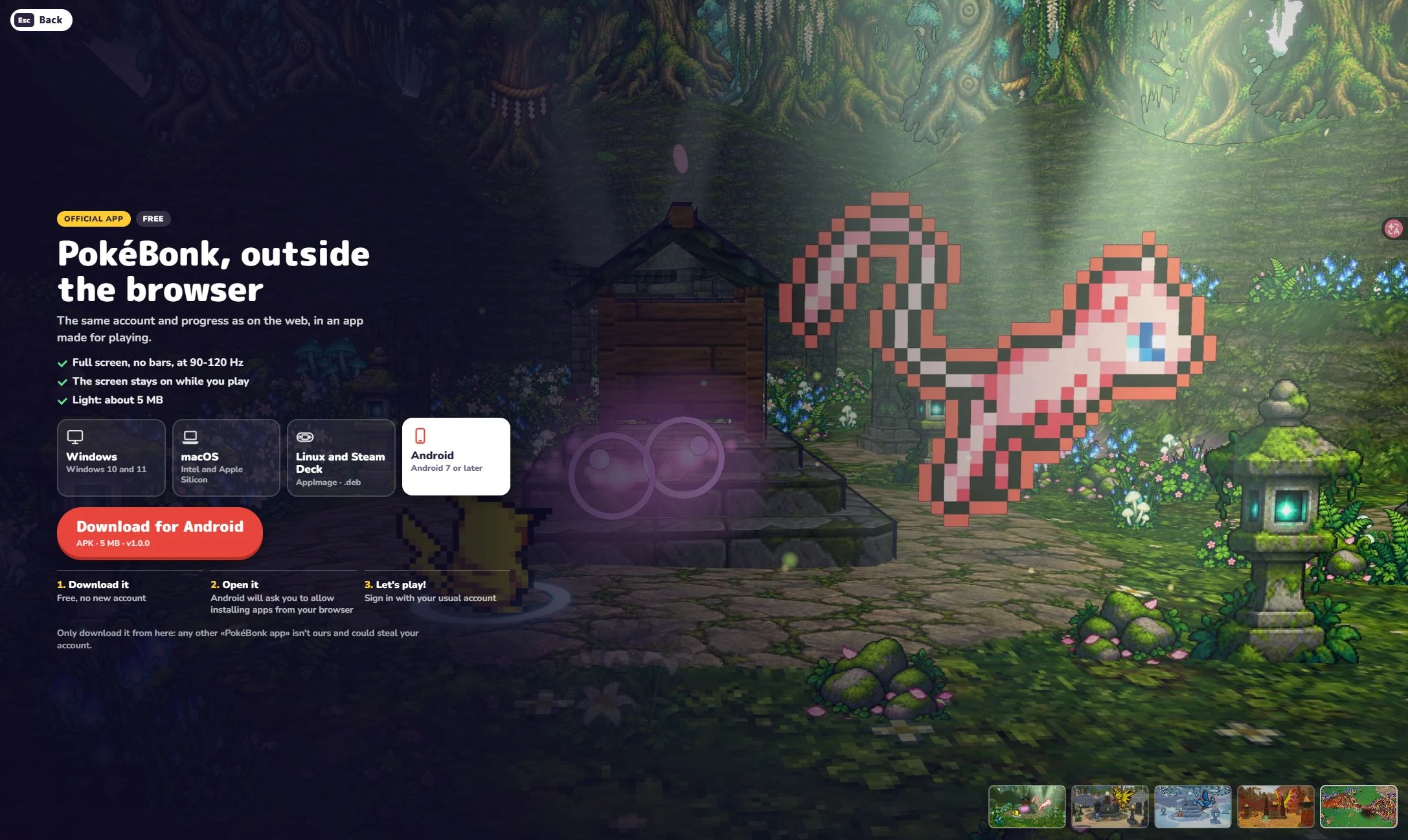
Which official app platforms are listed?
| Platform | Official screen description |
|---|---|
| Windows | Windows 10 and 11; installer and portable options. The checked Windows tab showed app v1.4.0. |
| macOS | Intel and Apple Silicon. |
| Linux / Steam Deck | AppImage and .deb. |
| Android | Android 7 or later; APK, 5 MB, app v1.0.0. |
| iOS / iPadOS | Not listed in the checked Apps screen. |
The game and its apps use separate version numbers: browser v0.8.92, Windows app v1.4.0 and Android app v1.0.0. The Apps menu shows the latest package for each platform.
Play in the browser or use the official app
Open the official game
Use pokebonk.com. Enter as a Guest or use your existing game account to reach the lobby.
Choose your route
For browser play, choose Play for Classic or Survival for Endless, then follow the preparation screen. For an app, choose Apps and read the option for your platform.
Use the same official account route
The official app page says you can sign in with your usual game account and use the same progress as on the web.
Android, iPhone and mobile browsers
Android has an official APK option in the Apps screen. For browser play on a phone or tablet, open the official site, try landscape orientation and inspect the available Settings → Controls options. iOS is not listed among the app platforms checked today.
Android 7 or later is the requirement shown on the official page. Your phone, browser and graphics support can affect how the game runs.
Find official apps without trusting copycats
The Apps page explicitly warns: only get the app from that official screen; other “PokeBonk apps” are not theirs and could steal an account. Start at the exact domain pokebonk.com, not a similar-looking domain or a third-party account form.
The official Android version is an APK. Find it through the Apps menu on pokebonk.com, and avoid copies distributed under similar names.
PokeBonk app and browser questions
Does PokeBonk have an official app?
Yes. The official Apps screen lists Windows, macOS, Linux and Steam Deck, and Android. You can also play the browser version.
Is there an official PokeBonk Android APK?
Yes. On 4 November 2026, the official Android tab displayed APK, 5 MB, v1.0.0 and Android 7 or later. Open Apps inside pokebonk.com for the current Android option.
Do I need to download PokeBonk to play?
No download is needed for browser play. Open pokebonk.com in a browser with JavaScript and WebGL enabled. Installing an official app is a separate option.
Is there an official PokeBonk iOS app?
The official Apps screen checked on 4 November 2026 did not list iOS. For iPhone or iPad, use the official browser version.
Where should I find the official apps?
Open pokebonk.com, enter the game lobby and choose Apps. Check the platform there. The official page warns that other PokeBonk apps are not theirs and could steal account information.
Platform details and screenshot checked on 4 November 2026. App installation, cross-device progress and performance on individual phones have not been tested here.