PokéBonk: your first run starts here
Choose a partner. Survive the wild. Play the browser game at its official site.
Play on pokebonk.com- 1Open the official gameFollow the link above.
- 2Choose GuestStart without an account.
- 3Pick your partnerChoose a starter, then begin a run.
Draft guide · gameplay values not independently retested
Observations and screenshots were supplied in the original package. Capture dates, ownership and values still require verification.
What PokéBonk actually is
PokéBonk is an unofficial fan-made survival game by Charcher. It runs in a browser with JavaScript and WebGL, and its official description says it includes all 151 Kanto Pokémon. We tested build v0.8.89 on 2–3 November 2026. The game calls itself a “3D survivor”: you move around a map, your partner attacks nearby enemies, and you choose an upgrade each time you level up.
It is not a main-series Pokémon game. It is a run-based action game with a persistent account layer. A run has zones, guardians and a shrine; between runs you keep Stardust, unlocks, captures and Lab upgrades.
How one run works
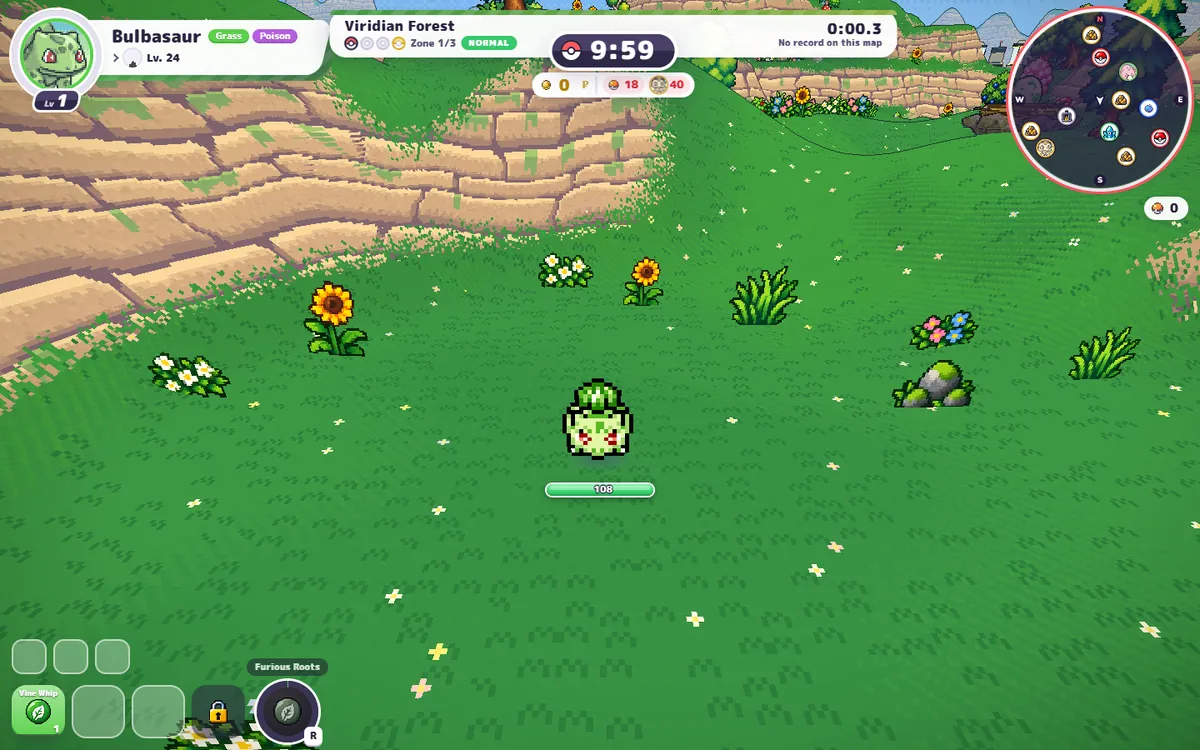
After choosing a partner you pick a region and difficulty. In our Classic test the region screen opened on Viridian Forest, with Rocky Desert, Storm Coast and Celestial Glacier also visible; Lavender Tower and Volcano Island were marked “coming soon”. Each region screen lists three zones and its guardians. The run HUD then shows your partner and HP at top-left, the zone and run timer at top-centre, PokéDollars and resources beneath that, a minimap at top-right, your move slots at bottom-left and the Ultimate button at bottom-right.
Attacks are automatic, so movement is the main input. The default keyboard controls in Settings are WASD to move, Space to jump, Shift to slide, E to interact, R for the Ultimate, Q to switch auto/manual aim and P to pause. You can change every binding. A level-up offers upgrade choices; the starting build has one move slot open and three locked slots.
The three starters in one line each
| Partner | Menu role | Passive | Starting attack |
|---|---|---|---|
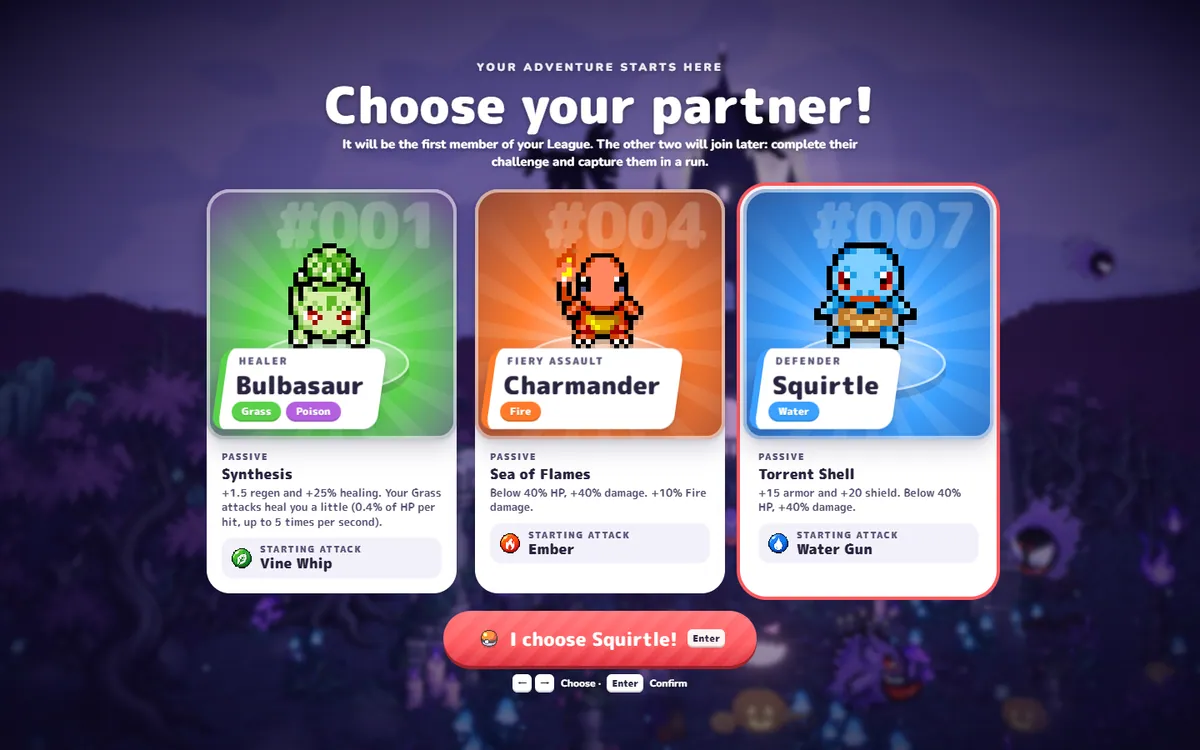
| Bulbasaur | Healer | +1.5 regen, +25% healing; Grass hits heal a little. | Vine Whip |
| Charmander | Fiery assault | Below 40% HP: +40% damage and +10% Fire damage. | Ember |
| Squirtle | Defender | +15 armor, +20 shield; below 40% HP: +40% damage. | Water Gun |
Bulbasaur is the forgiving pick, Charmander is the risky low-HP pick, and Squirtle is the armour pick. These are role descriptions, not a measured win-rate ranking. The starter guide lists the exact passives and starting attacks.
Start in three steps — the detailed version
-
Open the official browser build
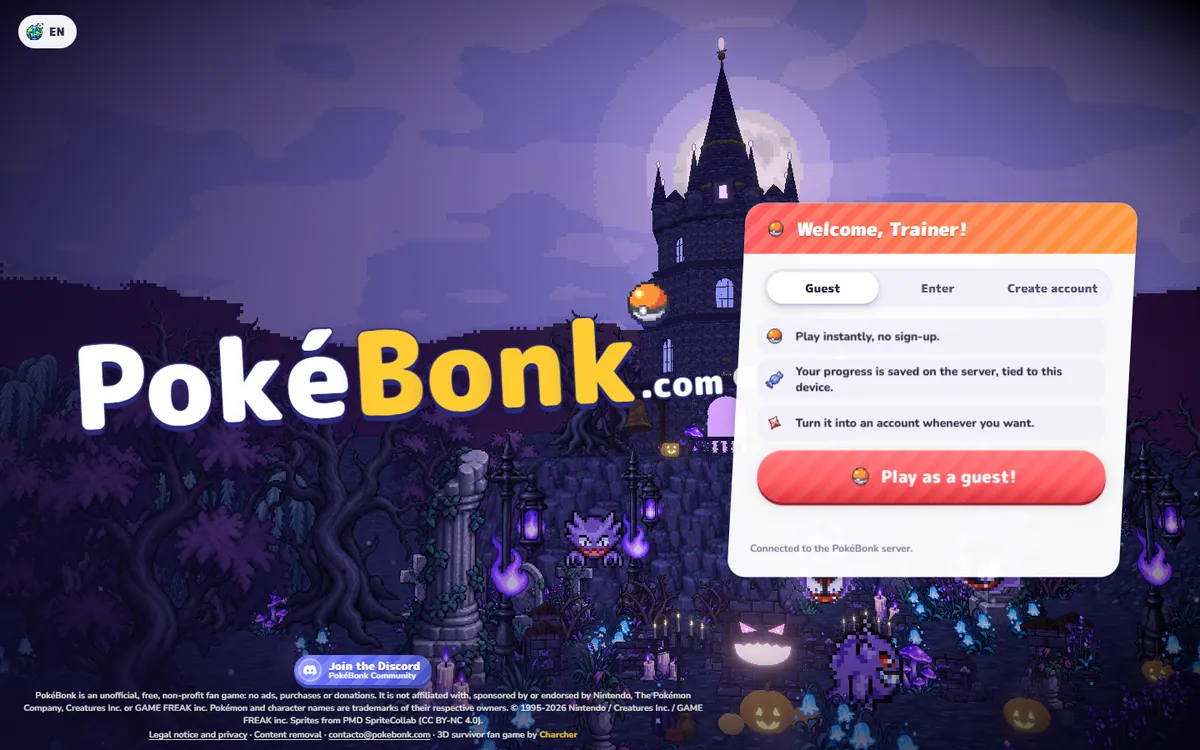
Go to pokebonk.com/?lang=en. The version pill in our test read “BETA v0.8.89”. There is a language button at top-left, a Discord invite, and a legal notice that says the fan game is free and non-profit.
-
Choose Guest and pass the check
The welcome panel has Guest, Enter and Create account. Guest is the fastest route: the panel says progress is saved on the server and tied to this device, and can be turned into an account later. In our test a short “Checking that you are a person…” step appeared before the starter screen.
-
Choose a partner, then start a run
Click a card or use the arrow keys, then confirm. A second warning says the choice is permanent. After the menu loads, open Play, confirm Bulbasaur or your chosen partner, pick a region and difficulty, and press Start. The first run begins with a short “Time to survive!” banner.
What to do after your first run
Do not spend Stardust just because a button is lit. Our first short Bulbasaur run ended at 0:43 with 0 kills, 131 damage and 4 Stardust; that is a sample of one unskilled run, not an income guide. The useful next step is to look at the Lab and buy the cheapest upgrade that fixes the problem you actually had: Stamina or Training for damage taken, Magnetism or Study for slow levelling, Skip or Refresh for bad upgrade offers. The full cost table and calculator are on the Stardust page, and every run-item effect is in the item catalogue.
Use the official site, not a copy
On 25 October 2026 the project posted a notice that pokebonk.com is the only official site, because copies on other domains add ads and try to collect emails and accounts. We link only to the official entry.
Questions people also ask
Is PokéBonk free, and do I need to download it?
It is free to play in a browser at pokebonk.com. The welcome screen offers Guest, Enter and Create account. We tested the browser build on 2–3 November 2026 and did not need a download, APK or installer.
What is the goal in PokéBonk?
Survive waves of wild Pokémon, level up, choose upgrades, evolve your partner and clear zones. The Classic run screen shows three zones plus a shrine. The broader account goal is unlocking League members and filling the Pokédex.
Can I change my starter later?
Not in the starter menu. The confirmation warning says the choice is permanent. The game also says the other two partners can join later if you complete their challenge and capture them in a run.
Does PokéBonk have multiplayer?
The main menu has a Co-op tile marked BETA, with “Needs an account” under it. We tested solo Classic only. We have not tested co-op, so we make no claim about matchmaking, stability or cross-play.